Grant Pedersen · Product designer · New York
dot / lab
A motion library for trying, adjusting, and reusing dot animations in product interfaces.
Product design & frontend engineering · Independent project · 2026
Designing expressive motion that survives real product constraints
Product interfaces often need motion to communicate system status, such as an AI assistant listening, processing, streaming, or completing a task, without pulling in heavy 3D dependencies or shipping animations that break at small sizes. I designed and built dot / lab to bridge motion exploration and production React code.
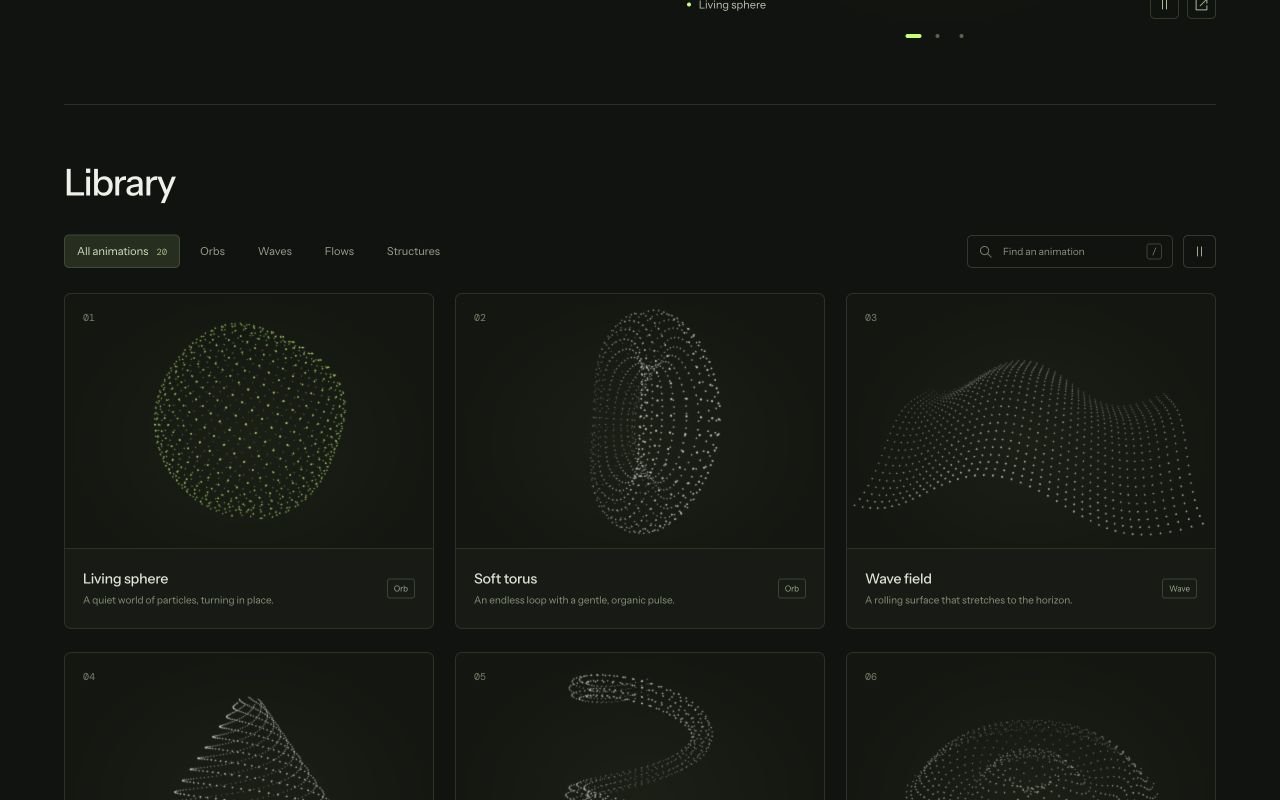
The library unifies three collections under one playground architecture: 20 hero dot patterns, eight mathematical attractors, and nine 3D AI loader states.
A consistent workspace across patterns, equations, and loaders
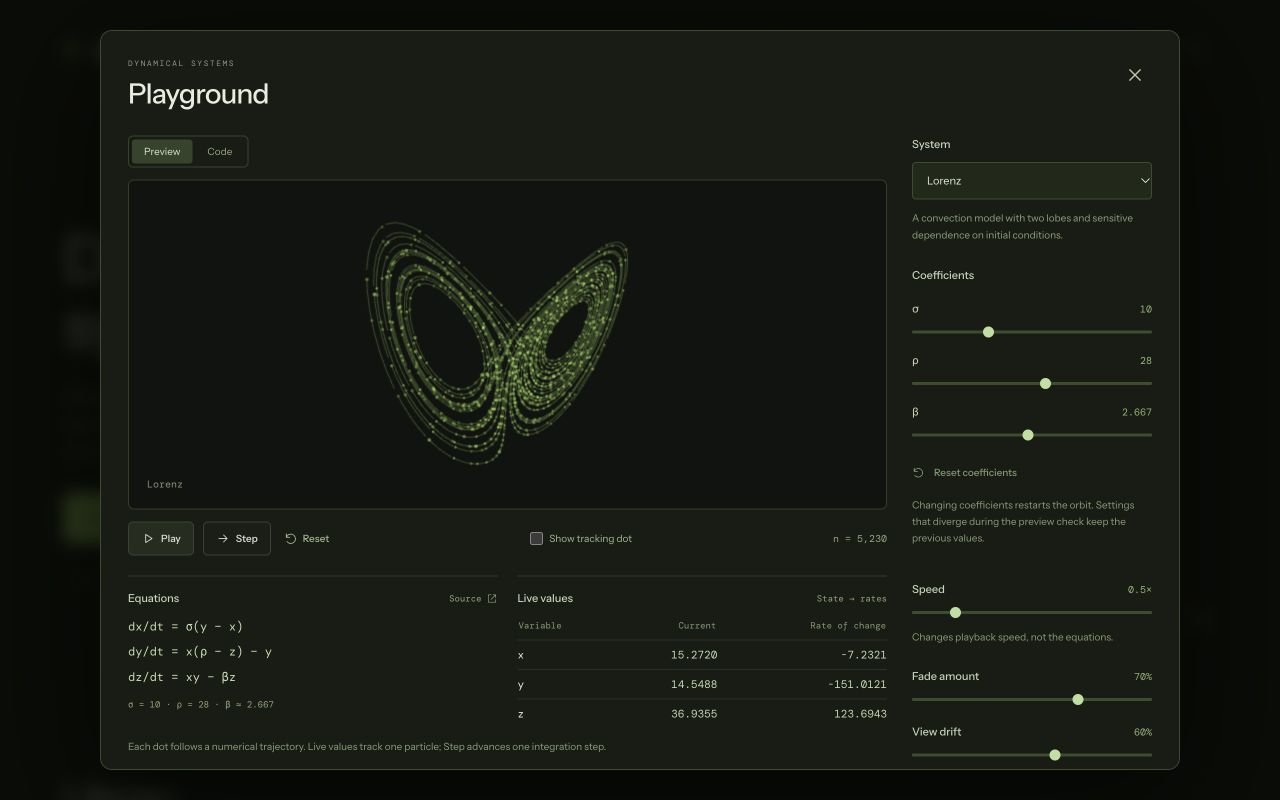
Early iterations separated the parameter controls from the canvas, forcing users to scroll while tuning motion. I locked the live canvas beside its control panel so changes to speed, density, depth, or color register immediately.
On mobile viewports, I switched the catalog from a multi-card grid to a single preview per row so subtle particle motion remains legible before opening the playground.
Optical compensation at button sizes and continuous state morphing
Scaling a 27-dot 3D cube linearly down to 20px inside a button made rear dots vanish and front dots blur together. I added side-by-side size specimens (20px, 24px, and 64px) and introduced an optical breakpoint at 32px and below: dots increase their relative radius, raise their minimum opacity floor, and flatten perspective depth so the silhouette stays crisp at icon scale.
Rather than jump-cutting when an AI state changes from Processing to Complete, I wrote a staggered morph interpolator that routes all 27 dots from their current coordinates into the completion burst before settling into idle breathing.
Making chaotic mathematical models inspectable and safe to tune
For the eight dynamical systems (including Lorenz, Chua, and Rabinovich–Fabrikant), every particle integrates the system’s differential equations in real time. To make the math transparent rather than decorative, I paired the canvas with live coordinate readouts and the governing equations.
Because extreme coefficient combinations can cause differential equations to diverge, I added a single-step debugger to advance one frame at a time and built stability guardrails that revert unstable settings with a clear explanation instead of crashing the canvas.
Production-ready React exports with accessibility defaults
Each playground generates a standalone TypeScript React component and usage snippet with the user’s exact parameters baked in. Exported loaders accept a live state prop from the host application to trigger smooth morphs between states.
All exported components render on Canvas 2D with zero runtime dependencies beyond React, use IntersectionObserver and visibility listeners to pause when offscreen or in background tabs, and render a deterministic still frame when prefers-reduced-motion is enabled.
Initial example: Libraries.dev’s Thinking Orbs. Interface design and code: Grant Pedersen.